Screenshots
App details
- Version
- 1.0
- Size
- 2.61 MB
- Updated
- October 24, 2013
- Requires
- Windows XP
- Language
- English
- License
- Free
- Developer
- SecurityXploded
- Category
- Windows OS
SoftPas in:
This product is also available in the following languages:
About Windows Drive Hider
Download Windows Drive Hider – Free, Secure Drive Hiding Tool for Windows 7/8/10/11
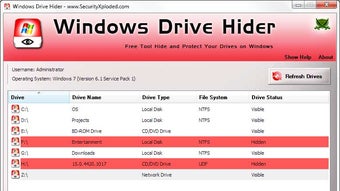
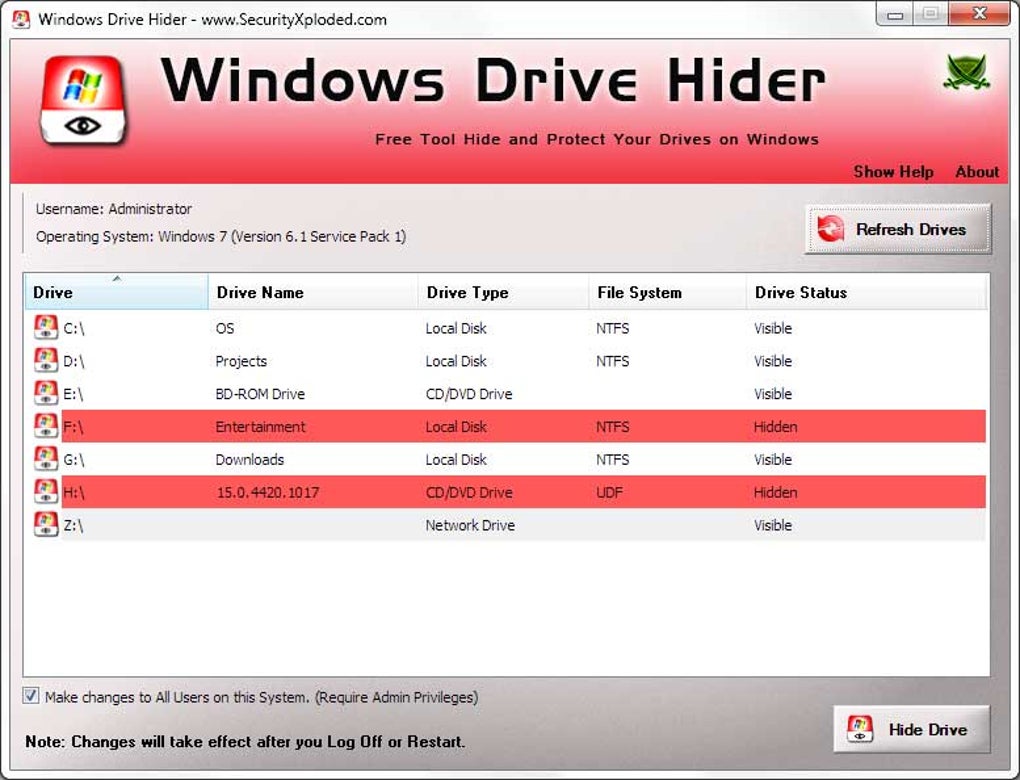
Looking for a reliable and lightweight way to protect your sensitive data? Windows Drive Hider is a free, portable tool designed to help you hide internal drives, external USBs, network shares, and optical drives (CD/DVD/Blu-ray) from view in File Explorer. Whether you're safeguarding personal files, securing business data, or simply keeping your drives out of sight on shared computers, this software offers a quick and effective solution. With no installation required, you can run it directly from a USB flash drive or your local disk. The tool works seamlessly on Windows 7, 8, 10, and 11, making it a versatile choice for users across different systems. Best of all, hiding a drive is instant—just select the drive you want to conceal, click Hide Drive, and restart your PC. The changes take effect immediately. While the drive remains invisible in File Explorer, it’s still accessible via direct path entry—ideal for advanced users who need secure access without exposing the drive to casual users.
Why Choose Windows Drive Hider for Drive Privacy?
Privacy and data security are more important than ever, especially when sharing computers or working in public environments. Windows Drive Hider stands out as a simple yet powerful utility that addresses a common yet often overlooked issue: the visibility of drives in File Explorer. Unlike complex encryption tools or third-party software with steep learning curves, this tool focuses on one core function—hiding drives—executing it flawlessly. Its lightweight design ensures minimal system impact, consuming almost no RAM or CPU resources, which is perfect for older or low-spec machines. The interface is clean and intuitive: upon launching the portable executable, you’re presented with a real-time list of all available drives, including internal partitions, external USBs, network locations, and optical drives. Selecting any of these and clicking Hide Drive instantly removes it from view. The change persists after reboot, meaning you don’t need to reconfigure it every time you start your PC. This makes it ideal for users who frequently switch between public and private environments. Additionally, because it’s portable, you can carry it on a USB stick and use it on any Windows machine without leaving traces. It’s a discreet, no-frills solution for users who want to prevent accidental access or unauthorized snooping without altering system settings or risking data loss. Whether you're a student protecting your personal files on a lab computer, a professional securing confidential documents, or a parent hiding sensitive data from children, Windows Drive Hider offers a practical and secure way to maintain digital privacy.
Easy Installation, Seamless Usage – No Setup Required
One of the most appealing aspects of Windows Drive Hider is its truly portable nature. There’s no need to install any software, run setup wizards, or modify system registry entries. Simply download the standalone .exe file from the official source, extract it (if needed), and launch the program directly. This makes it perfect for use on shared computers, school labs, or workstations where administrative rights are restricted. The software doesn’t require admin privileges to run, which enhances its usability across various user accounts. Once launched, the program scans your system and displays all connected drives in a clear, organized list. Each drive is labeled with its type (e.g., Removable, Fixed, Network, CD-ROM), making it easy to identify which one you want to hide. Selecting a drive and clicking Hide Drive triggers an immediate system update. The change is applied at the next reboot, so you’ll notice the drive is gone from File Explorer after restarting your PC. To unhide a drive, simply reopen the tool, select the hidden drive, and click Unhide Drive. The process is just as fast and reversible. There’s no complex configuration or password protection—this is not an encryption tool, but rather a visibility control utility. This simplicity is a strength: it avoids unnecessary complications while delivering exactly what it promises. You can even use it on a USB flash drive as a self-contained privacy tool. For users who value speed, security, and ease of use, Windows Drive Hider delivers an excellent balance. It’s a rare example of software that does one thing extremely well, without bloat or hidden costs.
Compatibility & System Requirements – Works on All Modern Windows
Windows Drive Hider is engineered for broad compatibility across the Windows ecosystem. It runs smoothly on Windows 7, 8, 8.1, 10, and 11, both 32-bit and 64-bit versions. This wide range ensures that users with older systems can still benefit from the tool, making it a practical choice for businesses or individuals using legacy hardware. The software is completely portable, meaning it doesn’t write to the registry or install files in system directories—ideal for environments where software installation is restricted. It supports all standard drive types: internal hard drives, SSDs, external USB drives, network shares (mapped drives), and optical drives such as CD, DVD, and Blu-ray. This versatility means you can hide anything from a personal flash drive to a company-issued network folder. The tool doesn’t interfere with system performance or file access—it only modifies what’s displayed in File Explorer. Even after hiding a drive, you can still access it by typing the drive letter directly into the address bar (e.g., D:\), which is useful for scripts, backups, or advanced users. No additional drivers or dependencies are required, and the entire tool is under 1 MB in size, ensuring fast downloads and minimal storage usage. Because it’s free and open to all, it’s also a great option for students, freelancers, and home users who need a quick privacy fix without spending money. Whether you're using a desktop, laptop, or tablet running Windows, Windows Drive Hider adapts effortlessly to your setup.
Pros & Cons – Honest Review of the Tool
- Pros:
- Free and completely portable – no installation needed
- Supports all drive types: internal, external, network, optical
- Lightweight and fast – minimal system impact
- Easy to use with intuitive interface
- Changes persist after reboot – no need to re-hide every time
- Works on Windows 7 through 11
- Safe and reversible – unhide drives anytime
- Cons:
- Does not encrypt data – only hides visibility
- No password protection or user authentication
- Not suitable for high-security environments
- Drive can still be accessed via direct path entry
- No logging or audit trail for hidden drives
Frequently Asked Questions (FAQ)
Is Windows Drive Hider safe to use?
Yes, Windows Drive Hider is safe and secure to use. It doesn’t modify system files or registry entries permanently. It only changes the visibility of drives in File Explorer, which is reversible. Since it’s a portable tool, it leaves no trace on your system after use.
Can I hide a USB drive using this tool?
Absolutely. Windows Drive Hider allows you to hide any removable drive, including USB flash drives, external hard drives, and SD cards. You can even run the tool from a USB stick and hide other drives while on the go.
Does hiding a drive protect my data from hackers?
No, hiding a drive does not encrypt your data. It only removes the drive from view in File Explorer. Advanced users can still access it by typing the drive letter directly. For stronger protection, combine this tool with encryption software like VeraCrypt or BitLocker.
Do I need admin rights to run Windows Drive Hider?
No, you do not need administrative privileges to run this tool. It’s designed to work under standard user accounts, making it ideal for use on shared or restricted computers.
Can I hide multiple drives at once?
Yes, you can hide multiple drives simultaneously. Simply select each drive from the list and click Hide Drive. The changes will take effect after a system restart.
Final Verdict: A Must-Have for Quick Drive Privacy
If you’re looking for a fast, free, and reliable way to hide drives on Windows without installing anything, Windows Drive Hider is an excellent choice. It’s perfect for users who need a simple privacy layer to prevent accidental access or casual snooping. While it’s not a replacement for encryption tools, it fills a crucial gap in personal data protection by controlling visibility. Its portability, compatibility, and ease of use make it ideal for students, professionals, and home users alike. Whether you're protecting personal photos, confidential work files, or sensitive project data, this tool offers a no-frills solution that just works. Download it today and take control of your digital privacy—no setup, no hassle, just instant drive hiding.
Download Windows Drive Hider now and keep your data out of sight—secure, simple, and free.
Guides & Tutorials
How to install Windows Drive Hider
- Click the Download button above.
- Once redirected, accept the terms and click Install.
- Wait for the Windows Drive Hider download to finish on your device.
How to use Windows Drive Hider
This software is primarily used for its core features described above. Open the app after installation to explore its capabilities.
User Reviews
No reviews yet. Be the first to share your experience.
You may also like
more
Llama 2
Free-to-use large language model As the new addition to Meta’s arsenal of langua...

NotebookLM
Revolutionizing the note-taking and idea-generation process NotebookLM is an exp...

Github co pilot
AI-inspired software development and coding platform GitHub Copilot is a browser...

Google Gemma
Google’s lightweight AI models Introducing Google Gemma , a family of cutting-ed...

AI Image Enlarger
A free app for Windows, by ai-image-larger. AI Image Enlarger is a free software...

DALL E
AI-driven text-to-image transformation engine DALL·E is a free graphic and desig...